
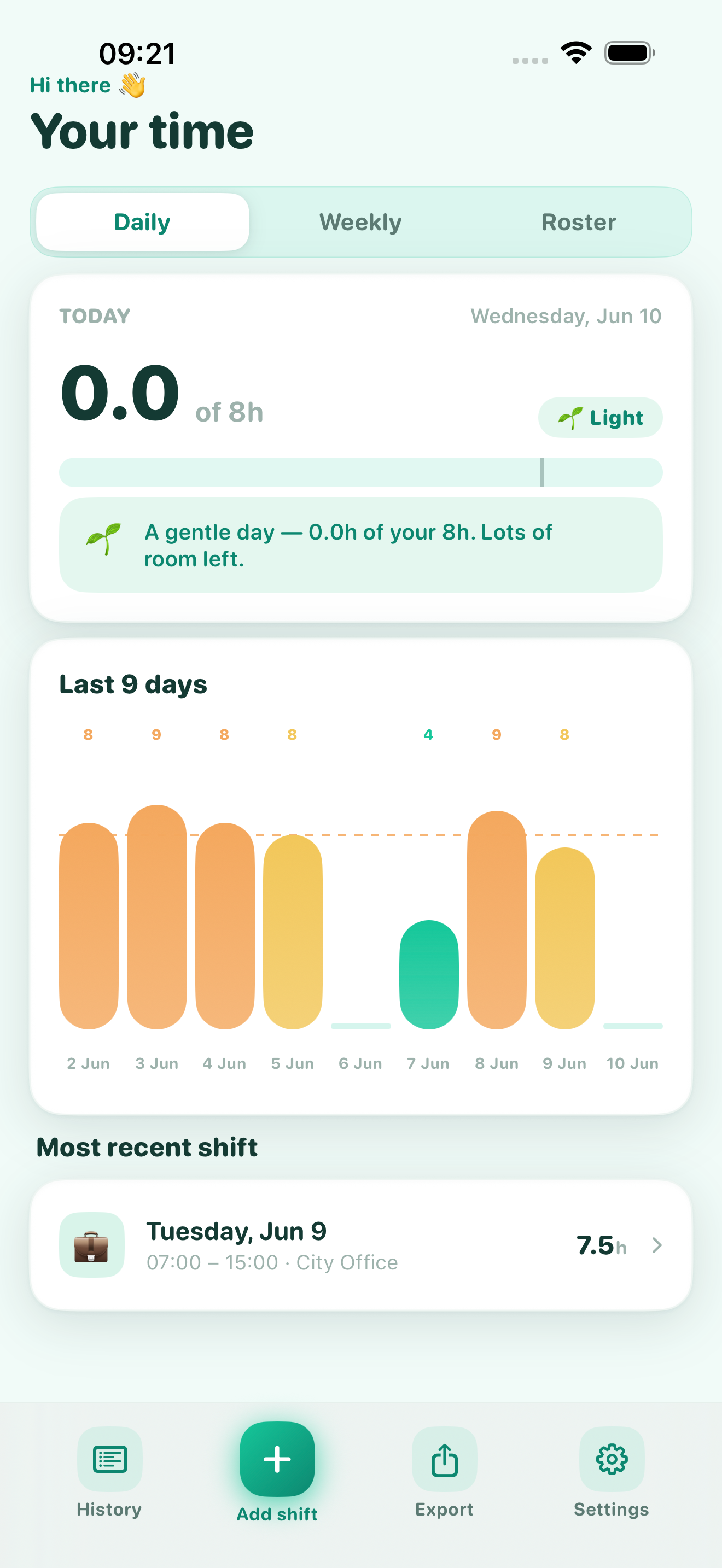
An Effort Engine, not a stopwatch.
Most trackers just count. Chronos reads your hours against limits you choose and tells you, plainly and kindly, how you're tracking — so a heavy stretch never sneaks up on you.
Five honest readings
The same calm scale runs across your day, your week and your whole roster.
Logging that stays out of your way.
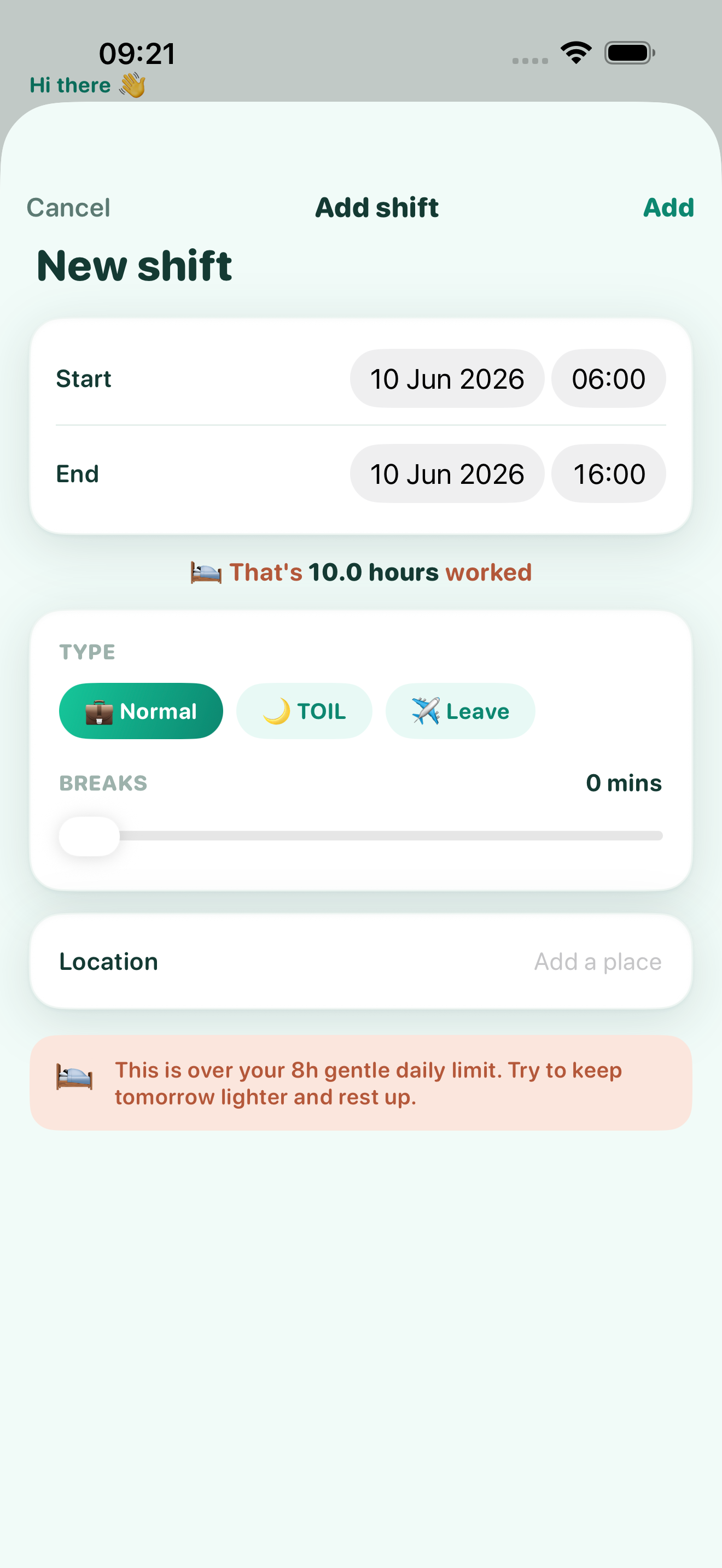
Most shifts are two taps and done.
Chronos pre-fills your usual start, length and break from settings, so adding a shift is mostly confirming what already happened. Worked something different? Nudge the times and save.
- ✓ Sensible defaults on every new shift
- ✓ Mark it Normal, TOIL or Leave
- ✓ Breaks come straight off your worked hours
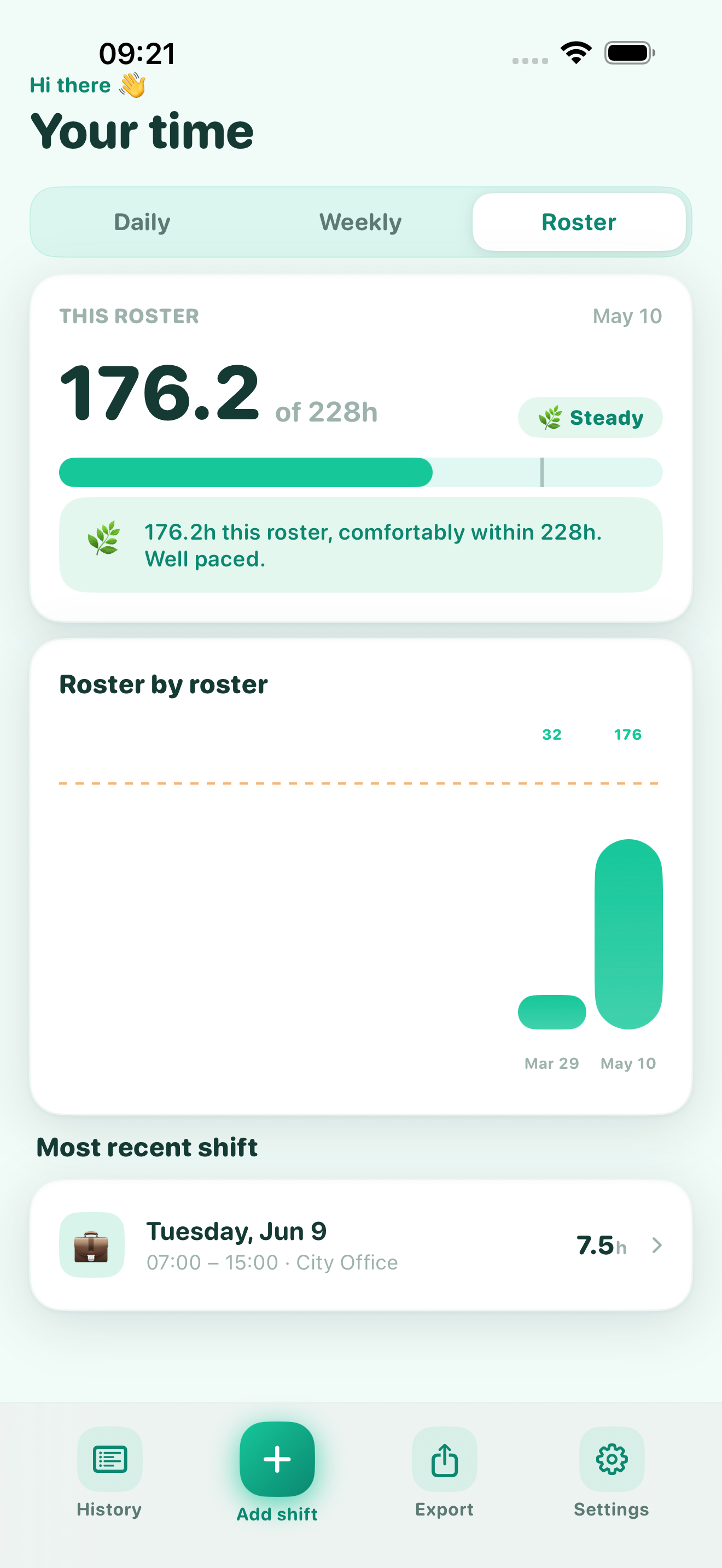
Day, week, or the whole roster.
Flip between three views of the same time. Today at a glance, this week's shape, or how the full roster cycle is pacing against your target.
Each view carries its own effort reading and a one-line, human summary of where you stand.
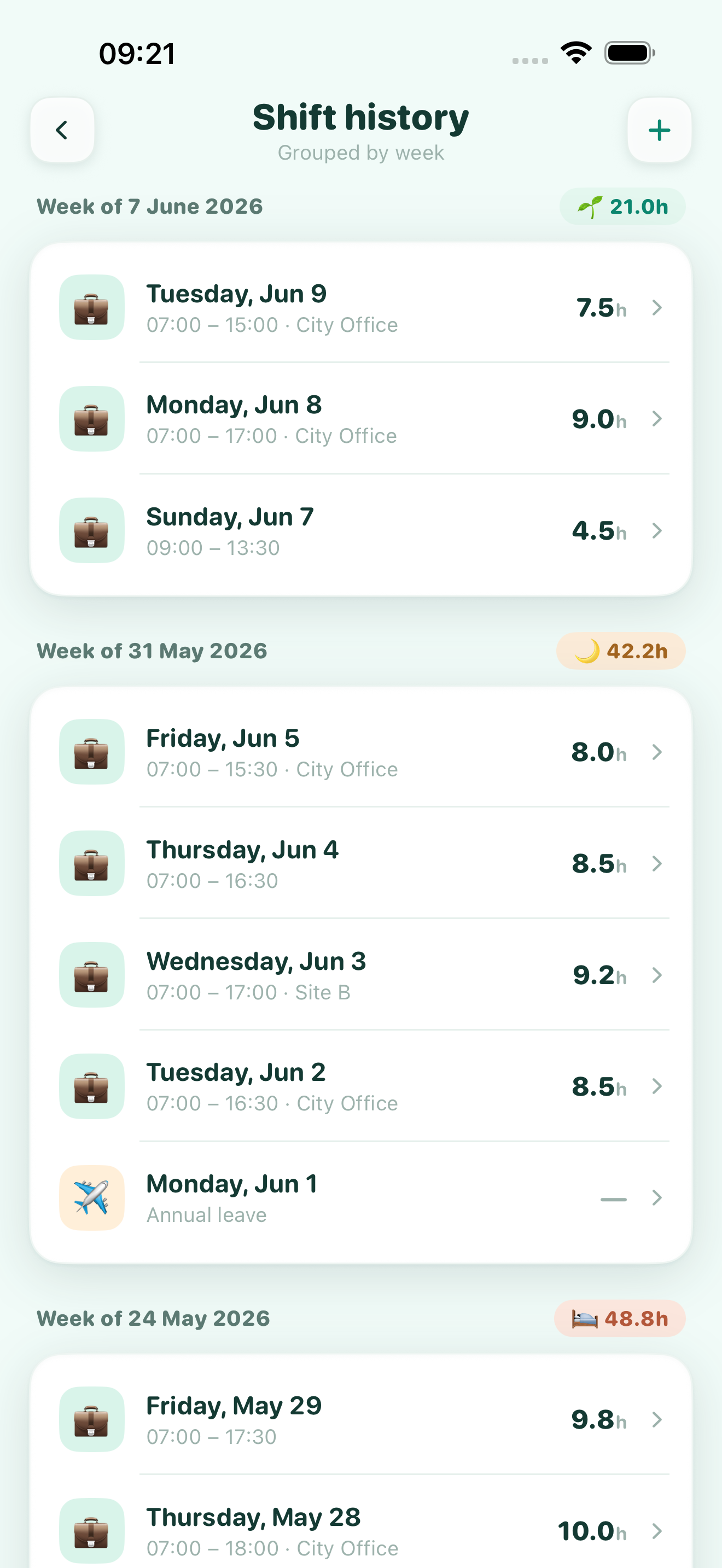
Normal, TOIL and leave — counted correctly.
Time off in lieu subtracts, leave sits at zero, worked time adds up. Your totals reflect what you were actually owed and actually worked.
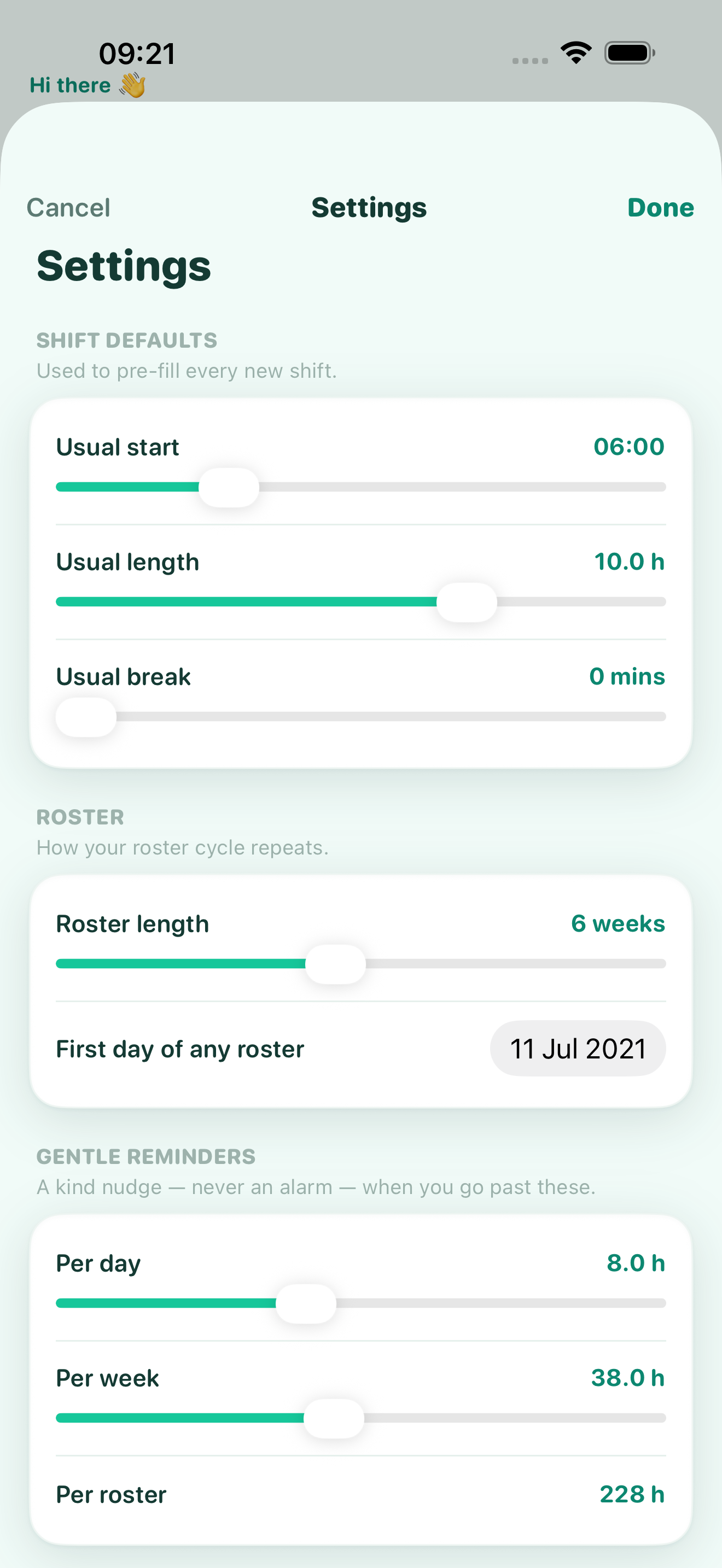
Limits you set. Nudges, never alarms.
Choose what a healthy day, week and roster look like for you. When you drift past them Chronos says something kind and quiet — a gentle reminder to ease off, not a red-alert buzz.
- ✓ Separate limits per day, week and roster
- ✓ Set your roster length and start date once
- ✓ Defaults that pre-fill every new shift
Small app. Looks after you.
Effort Engine
Five calm readings across day, week and roster.
Roster-aware
Rotating cycles of any length, totalled properly.
Three views
Daily, weekly and roster — one tap apart.
TOIL & leave
Time in lieu and leave handled, not fudged.
CSV export
Hand a clean spreadsheet to payroll any time.
Kind nudges
Wellbeing reminders that never shout at you.
Works offline
No network, no account — open it and log.
Free on the App Store
No subscription, no ads, no catch.
Your hours stay on your phone.
Chronos keeps everything locally on your device. No account to create, nothing synced to a server, no analytics counting your shifts. Your working life — and how hard it's been — is nobody's business but yours.
Read our privacy policy →The hours add up fast. Let something keep watch.
Start tracking today — your first shift takes about ten seconds.